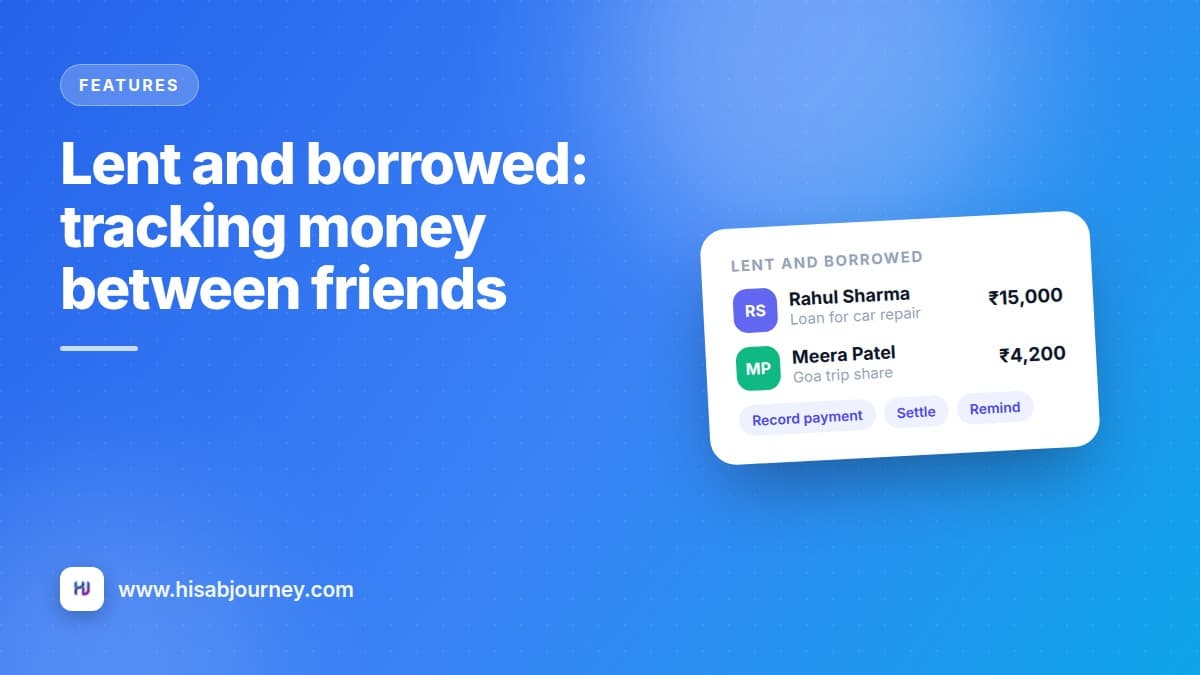
Your cousin borrowed ₹15,000 in March for a car repair. He paid ₹5,000 back in May. Or was it ₹6,000? It was over UPI, buried in six months of chat, and you would rather lose the money than scroll back and check.
Money between friends and family goes wrong for one reason. Nobody writes it down. Hisab Journey has two modules for exactly this.
Key takeaways
- Receivables is money people owe you. Debts is money you owe. Same screens, opposite direction.
- Add the person to Contacts once, then reuse them for every entry.
- Record partial payments as they come, and the status moves to partial automatically.
- Reminders can be sent to the contact on a schedule you choose, so you never have to nag.
- You can read everything offline, but adding and changing entries needs an internet connection.
Start with Contacts
Both modules run on a small address book. Set a person up once and they are available everywhere.
Go to More and then Contacts and tap +. Enter their Name, Email, Phone with the country code, and any Notes. Save.
The email matters more than you would think. It is what lets the app send payment reminders on your behalf. You can also attach a contact to a normal transaction, which is handy when you have paid for something on someone else's behalf.
Recording money you lent
Open Receivables from More, or tap Lent on the home screen, then tap +.
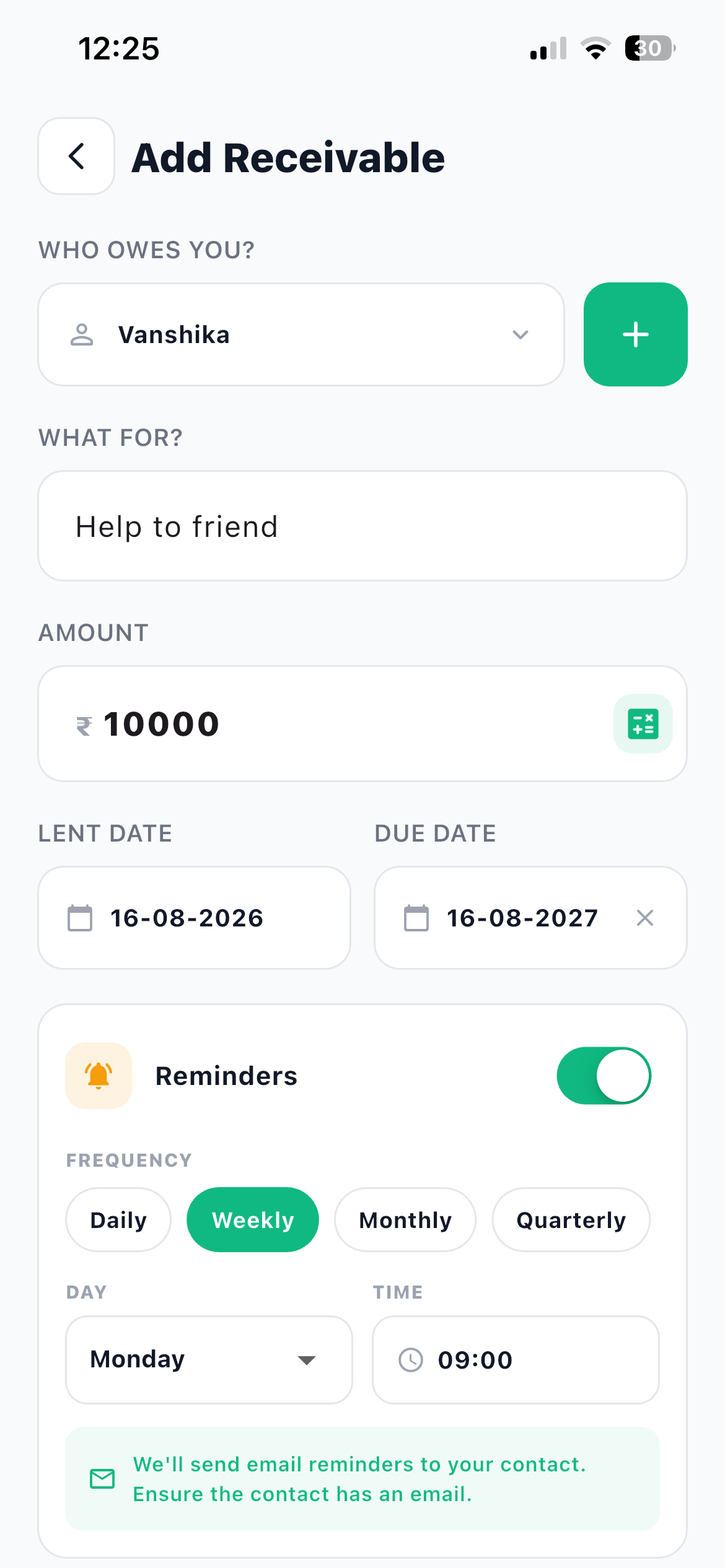
- Answer WHO OWES YOU? Pick an existing contact from the dropdown, or tap + beside it to add someone new without leaving the form.
- Fill in WHAT FOR? Be specific. Loan for car repair. Share of the Goa trip. Advance for the wedding gift. In eight months this sentence is the only thing that will remind you what happened.
- Enter the AMOUNT The full amount you handed over.
- Set the LENT DATE and an optional DUE DATE The due date is what makes an entry go overdue, and overdue entries are flagged in red so they stand out in the list.
- Add NOTES (OPTIONAL) Anything you might need later, such as what was agreed about instalments.
- Turn on Reminders if you want them Pick a FREQUENCY such as Daily, Weekly, Monthly or Quarterly, then the DAY and the TIME it goes out. The form reminds you that reminders go to your contact by email, so the contact needs an email address on file. Then save.
Following it through
Open any entry and you get the whole picture in one screen: the contact, the amount, how much is Paid so far, the description, the dates, their contact details and the full PAYMENT HISTORY.
The action buttons do the rest.
| Button | What it does |
|---|---|
| Record Payment | Log a partial repayment. The balance updates and the status becomes partial |
| Settle | Mark the remaining amount as paid |
| Remind | Send the contact a reminder now |
| Edit | Change any detail of the entry |
| Cancel | Cancel the entry, which you can then delete permanently |
| Delete Permanently | Remove it for good |
Record Payment is the one you will use most. Somebody sends ₹5,000 of the ₹15,000 they owe, you log it, and the entry now shows ₹10,000 outstanding with the ₹5,000 in the payment history where nobody can argue about it.
Settle closes the entry out and tells you plainly what it is doing, along the lines of "this will mark the remaining ₹10,000 as paid".
Debts work the same way, reversed
Money you owe lives under More and then Debts, or the Debts quick link on the home screen.
It is deliberately the same design: same screens, same buttons, same rules. Choose the contact you borrowed from, what it was for, the amount, the borrowed date and an optional due date. Set a reminder so the repayment does not creep up on you. As you repay, use Record Payment, and when you are done, Settle.
The only real difference is the labels. Borrowed Date instead of Lent Date.
Log your own debts too
People are happy to track what they are owed and quietly skip what they owe. Recording both is what makes your overall position real, and a debt with a due date and a reminder is much less likely to turn into an awkward conversation.
Reminders do the asking for you
This is the feature that changes the dynamic. Turn reminders on, pick a frequency and a time of day, and the app sends the reminder to your contact.
You are not chasing anybody. There is no message you have to compose, no tone to worry about, no wondering if a month is too soon. A neutral, scheduled reminder arrives, and it lands as a system message rather than a personal one.
For a ₹2,000 loan to a colleague, monthly is plenty. For a ₹50,000 loan with a due date next week, weekly makes sense. You can also use Remind on the detail screen to send one right now.
These actions need internet
Creating and changing receivables and debts requires a connection, because payments and reminders are processed on the server. Offline you will see a banner saying "View only, actions require internet". You can still read every entry, its balance and its full history. See how offline mode works for the complete picture.
Where this sits in your books
A receivable or debt is not the same thing as a transaction. Handing your cousin ₹15,000 in cash does reduce your cash, so record that movement as a transaction too, and use the receivable to track the promise to pay it back.
Keep them separate in your head and the numbers stay clean: transactions are what happened to your money, receivables and debts are what is still owed in either direction.
Questions about lending and borrowing
Frequently asked questions
What happens if I lend money and forget about it?
Record it as a receivable with a due date and turn reminders on. Overdue entries are flagged in red, and the app can send the contact a reminder on the schedule you pick.
Can I record part payments?
Yes. Use Record Payment each time money comes in. The balance updates, the status becomes partial, and every payment is listed in the payment history.
What is the difference between Cancel and Delete Permanently?
Cancel closes the entry while keeping it, and you can delete it permanently afterwards. Delete Permanently removes it for good.
Do I need a contact before I can add an entry?
No. You can add a new contact from inside the receivable or debt form, and it is then saved for next time.
Can I see my receivables offline?
Yes, viewing works offline. Adding entries, recording payments, settling and sending reminders all need an internet connection.
What to do next
Think of the two amounts that are outstanding right now, one in each direction, and record them today. Add the contact, the amount, what it was for, and a due date.
Then set a monthly reminder on the one that has been quiet the longest. If you want a structured way to bring the rest of the app into your routine, the 30-day plan fits this in during week three.