Rent on the 1st. Home loan EMI on the 5th. Salary on the 30th. Netflix on the 12th, or is it the 14th? You type the same handful of entries every month, and you resent it by month three.
Set them up once instead.
What recurring transactions are for
Anything that repeats on a schedule. Rent, EMIs, salary, SIPs, insurance premiums, the gym, streaming subscriptions, your maid's salary, society maintenance.
You define it once with an amount, a category, an account and a frequency. The app tracks it from there and shows you the next run date, so the entries you would have typed by hand stop being your problem.
Creating one
Go to More and then Recurring, or tap Repeat on the home screen.
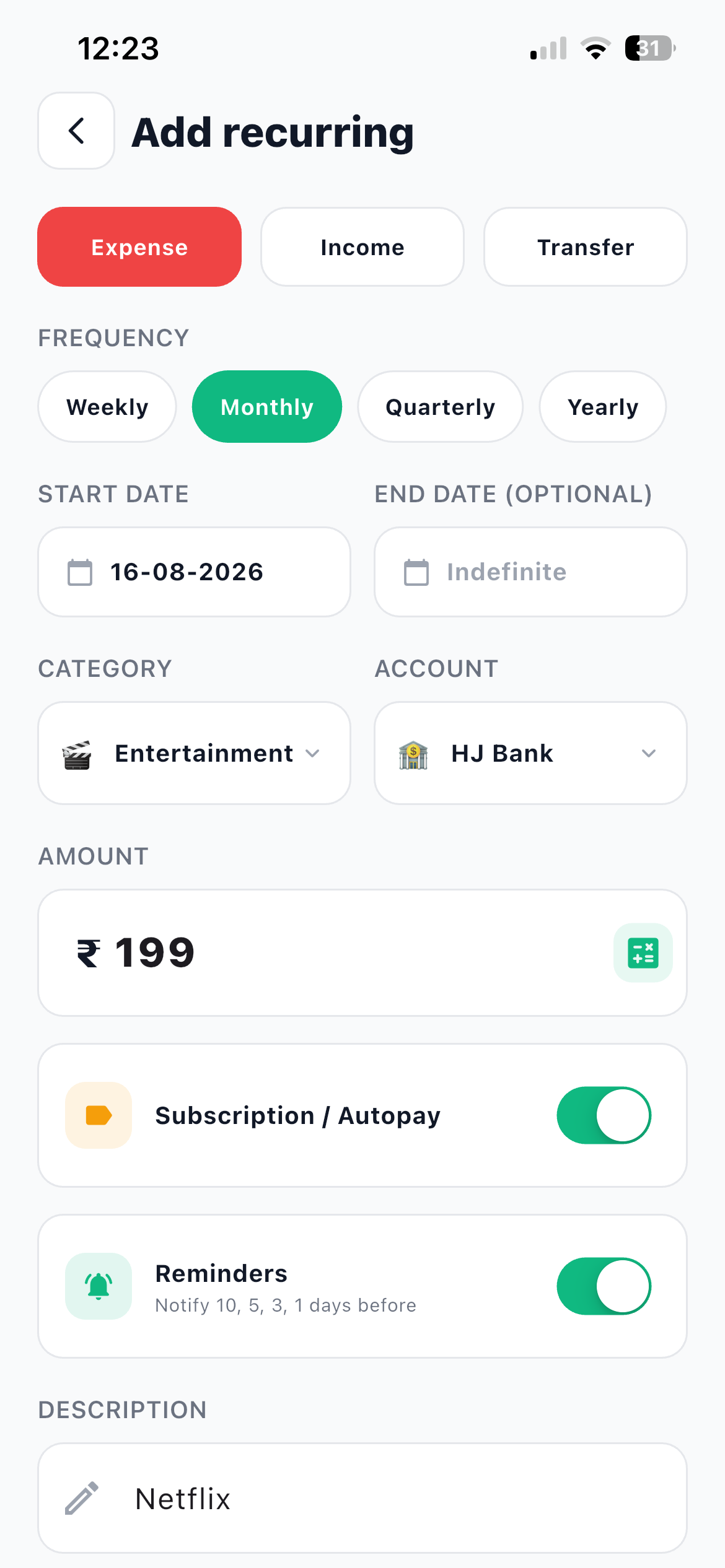
- Tap + and pick the type Expense, Income or Transfer across the top, exactly like a normal transaction.
- Choose the FREQUENCY Weekly, Monthly, Quarterly or Yearly.
- Set the START DATE When it begins. Use the real date of the first payment, not today, so your history lines up.
- Add an END DATE (OPTIONAL) Leave it on Indefinite for anything open ended like rent. Set a date for a loan that finishes in 18 months, so the app knows when to stop.
- Pick CATEGORY and ACCOUNT Or FROM and TO if it is a recurring transfer, like a monthly move to your savings account.
- Enter the AMOUNT Then set the two switches underneath it.
- Turn on Subscription / Autopay For anything Netflix, Spotify or gym shaped. This is the switch that feeds the subscriptions insight later.
- Turn on Reminders The app notifies you 10, 5, 3 and 1 days before each run, which is enough warning to move money if the balance is short.
- Write the DESCRIPTION, then save This is what you will recognise in a list six months from now, so write Netflix or Rent, not Payment.
The four frequencies, in real life
| Frequency | Use it for |
|---|---|
| Weekly | Domestic help paid weekly, a weekly grocery run, a weekly savings transfer |
| Monthly | Rent, EMIs, salary, SIPs, broadband, most subscriptions |
| Quarterly | Insurance premiums, society maintenance, some tuition fees |
| Yearly | Annual subscriptions, car insurance, domain renewals, AMC fees |
Yearly deserves special attention. Annual renewals are the ones that surprise you, because 365 days is long enough to forget. Put them in with a reminder and the surprise disappears.
Pause, do not delete
The list shows each item with its next run date, and each one has a toggle to pause or resume.
Use it for anything seasonal. Pause the gym while you are travelling for six weeks. Pause the tuition fee over the summer break. Pause a service you are trialling elsewhere for a month.
Deleting means rebuilding it later. Pausing keeps the whole setup and lets you switch it back on with one tap. To edit an item, tap it. To remove one for good, swipe it.
Pausing works offline too
The pause and resume toggle works without a connection, along with creating and editing recurring items. Your change saves locally and syncs when you are back online.
The subscription flag is the sleeper feature
That Subscription / Autopay switch looks like a label. It is not.
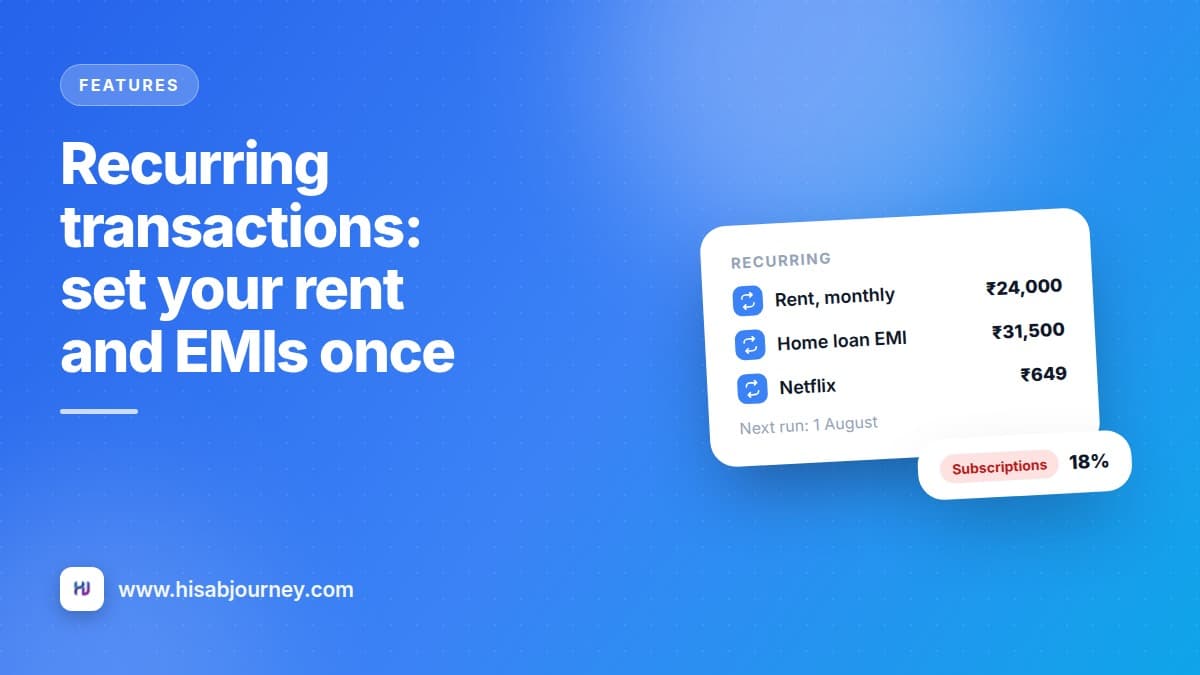
The app adds up everything marked as a subscription and warns you in HJ Insights when they are taking an outsized share of your monthly spending, with a card like "Subscriptions take 18% of expenses".
That number is the fastest way to find renewals you forgot about. Nobody deliberately pays for three music services. It happens one free trial at a time, and it stays hidden because each individual charge is small enough to ignore on a statement.
Tick it for every small recurring charge
The ₹149 ones are the point. A single ₹149 charge is invisible. Six of them are ₹894 a month and ₹10,728 a year, and that is what the insight is there to show you.
An audit worth doing once a year
Open More and then Recurring, and read the list top to bottom with one question for each item: did I get value from this in the last three months?
Anything you cannot answer yes to is a candidate. Cancel it at the source, then delete or pause the entry here.
Do this in April when you are doing tax paperwork anyway, and once more before Diwali. Twice a year is enough.
Reminders that arrive before the money leaves
Turn on Reminder on any recurring item and you get notified before each run.
It matters most for two cases. Payments that fail if the balance is short, like an EMI or a SIP, where a reminder gives you time to move money. And annual renewals, where a reminder is the only realistic chance you have of cancelling something before it charges you for another year.
Recurring items and your Monthly Checklist
They complement each other. The recurring entry records the money. The checklist tracks whether you have dealt with the month.
A good split is to put the fixed, predictable payments in Recurring so the entries get created, and keep the Monthly Checklist as the tick list you read on salary day to see what is left.
And a reminder from the basics: a recurring transfer to your own savings account is a Transfer, not an expense. Expense, income, or transfer explains why that distinction keeps your charts honest.
Questions about recurring transactions
Frequently asked questions
How do I stop paying for something I forgot about?
Turn on Subscription / Autopay when you create the recurring payment. HJ Insights then tells you what share of your spending they take, which is how you spot the ones you no longer use.
What frequencies are available?
Weekly, monthly, quarterly and yearly.
What if I pause something and forget to resume it?
The list shows each item with its next run date, and paused items are visible in the same list, so a quick scroll once a month is enough to catch it.
Can I set up a recurring transfer between my own accounts?
Yes. The form gives you FROM and TO pickers instead of a category, exactly like a one-off transfer.
Do recurring transactions work offline?
Yes, including the pause and resume toggle. Changes save on your phone and sync automatically when you reconnect.
What to do next
Open More and then Recurring and add the three payments you type most often. Rent, your biggest EMI, and salary. Then turn on Subscription / Autopay for every streaming service you pay for and check HJ Insights at the end of the month to see what share they take.
Pair it with the Monthly Checklist so nothing slips.