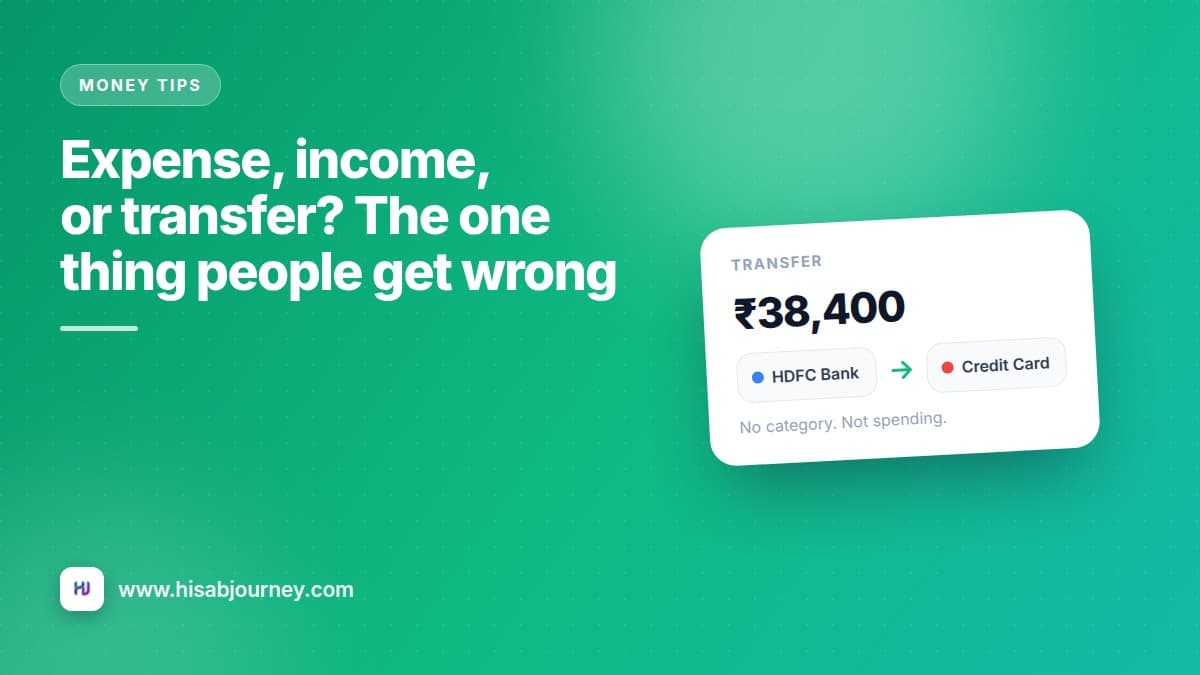
You paid your credit card bill of ₹38,400 on the 5th. Your expense chart for the month now shows a spike that never happened, because those purchases were already recorded when you made them.
One choice on the transaction form prevents this. Expense, Income, or Transfer.
The three types, in one line each
Expense. Money leaves your control. Groceries, fuel, a movie ticket, the electricity bill.
Income. Money enters your control. Salary, a freelance payment, interest, a refund.
Transfer. Money moves from one of your accounts to another. It never left you, so it is not spending.
That last one is where almost every reporting problem in a personal finance app begins.
Four everyday transfers
| What happened | Type | FROM | TO |
|---|---|---|---|
| ATM withdrawal of ₹5,000 | Transfer | HDFC Bank | Cash |
| Credit card bill payment of ₹38,400 | Transfer | HDFC Bank | ICICI Credit Card |
| Adding ₹2,000 to your UPI wallet | Transfer | HDFC Bank | Paytm |
| Moving ₹10,000 to your savings bank | Transfer | HDFC Bank | SBI Savings |
The ATM one catches people out most often. Taking ₹5,000 out of the machine is not spending ₹5,000. It becomes spending later, in pieces, as you hand the cash over. Record the withdrawal as a transfer to your Cash account, then log the chai and the autos against Cash as they happen.
How to record a transfer
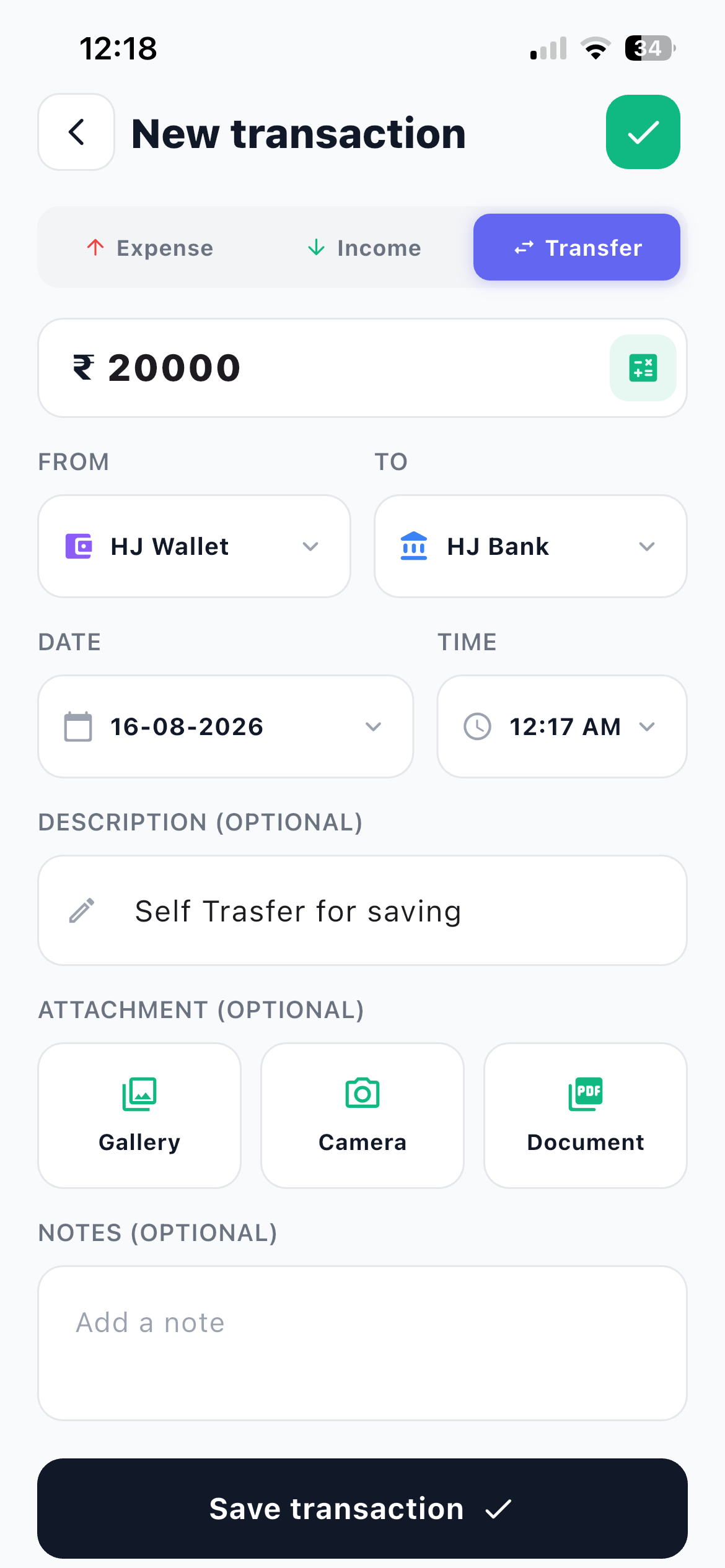
- Tap + and choose Transfer From the Home tab, tap the floating +, then pick Transfer at the top of the form.
- Enter the AMOUNT The calculator icon is there if you need to add a few figures together first.
- Set FROM The account the money leaves.
- Set TO The account it arrives in.
- Tap Save transaction Both balances update. Neither total moves, because you still have exactly as much money as before.
Notice what the form does not ask for. There is no category picker on a transfer.
Transfers have no category on purpose
They are not spending, so giving them a category would drag them into your expense charts. Leaving them out is what keeps those charts honest.
The credit card question, settled
Should a credit card payment be an expense? No.
Think about when the money actually left you. You bought a ₹2,400 pair of shoes on the card in March. That was the expense, in March, in the Shopping category, on your card account. In April you pay the bill from your bank. That payment moves money from your bank account to your card account so the card's balance returns to zero.
Record it as an Expense and you have counted the same shoes twice, once in March and again in April, along with everything else on that statement.
Set up your card as a Card account first. Setting up your accounts the right way covers the five account types and which of your real accounts maps to which.
What miscategorising costs you
It is not just a bigger number. It quietly breaks four things.
Your category breakdown shows a Bills or Other slice that dwarfs everything real, so you stop trusting the chart.
Your budget alerts fire for the wrong reasons, or fail to fire because the noise hides the signal.
Your savings figure goes negative in the month you paid a card bill, even though you saved money that month.
Ask Jivixa answers from the same numbers you can see, so a wrong entry produces a confident, wrong answer.
Fixing an old mistake takes 20 seconds
Go to More and then Transactions, find the entry, and open it. Change the type, set FROM and TO, and tap Update. Your charts correct themselves immediately.
The one-question test
When you are unsure, ask yourself one question: do I still have this money?
If yes, it is a transfer. Cash in your pocket is still yours. A wallet balance is still yours. Money sitting in a second savings account is still yours.
If no, it is an expense. The restaurant has it now. The landlord has it now.
And if money arrived and it is not moving between your own accounts, it is income.
Two cases that look tricky but are not
A refund. A shirt you returned puts money back in your account. Record it as Income, or edit the original expense if it was a full refund and you would rather it never existed.
Paying a friend back. If you borrowed ₹3,000 from a colleague, that is a debt, not an expense, and repaying it is not spending either. Hisab Journey has a whole module for this, covered in lent and borrowed.
Questions people ask about transfers
Frequently asked questions
Should a credit card payment be an expense?
No. Record it as a Transfer from your bank account to your card account. The original purchases on the card are the expenses, and paying the bill just moves money between two accounts you own.
Why do transfers not have a category?
Because they are not spending. Excluding them from categories is what keeps your expense charts honest.
How do I record an ATM withdrawal?
As a Transfer from your bank account to your Cash account. Then log what you spend from Cash as normal expenses over the following days.
I recorded a transfer as an expense last month. Can I fix it?
Yes. Open the transaction from the list, change the type to Transfer, set FROM and TO, and tap Update. Reports recalculate from your data, so they correct themselves.
Does a transfer change my total balance?
No. It moves money between two of your accounts, so both account balances change and your overall total stays the same.
What to do next
Open More and then Transactions, filter to last month, and look for any large entry that was really a transfer. A card payment, an ATM withdrawal, a wallet top-up. Fix them and watch your expense total drop to something you recognise.
Then make sure the accounts behind them are set up properly in setting up your accounts, and give your categories and budgets twenty minutes so the corrected numbers land somewhere useful.