Three months of data, and your donut chart is a rainbow of forty slices where the biggest one is called Other. You still cannot say where the money went.
The problem is almost never the app. It is the category list. Here is how to build one you will still be using next Diwali, and what a budget actually unlocks once you set one.
Key takeaways
- Ten to fifteen expense categories is the sweet spot. Fewer categories, clearer charts.
- Name categories after your life, not after accounting: Groceries, Fuel, Rent, EMI, Eating out.
- Drag your five most-used categories to the top and the transaction form gets much faster.
- A budget turns a category into an alert on your home screen and a warning in HJ Insights.
- Set budgets on your three or four biggest categories first, not on all of them.
Why fewer categories wins
Every category you add is a decision you have to make at the till, one-handed, while somebody waits for you to pay. If choosing takes more than a second, you stop logging, and an expense tracker you do not use tells you nothing.
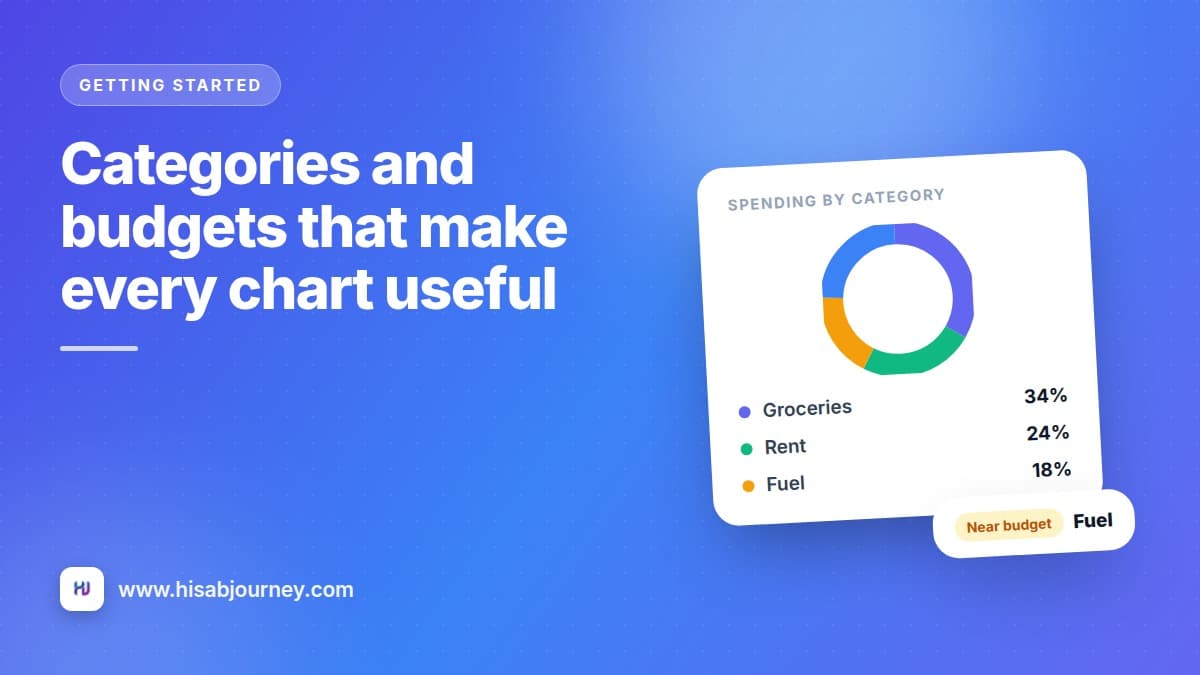
Fewer categories also make your charts readable. A donut with twelve slices tells a story. A donut with forty slices is wallpaper.
The test is simple. If two categories would always be looked at together, make them one. Vegetables and Groceries are one thing. Petrol and Fuel are one thing.
A starting set that works in India
Hisab Journey can seed a default set for you, or you can build your own from scratch. If you are building your own, this is a realistic starting point.
Expense: Rent, Groceries, Eating out, Fuel or Travel, Bills, EMI, Health, Shopping, Education, Entertainment, Family, Other.
Income: Salary, Freelance, Interest, Other income.
That is twelve expense categories and four income ones. Enough resolution to spot a problem, few enough to pick from without thinking.
Add categories on demand, not upfront
Do not sit and imagine every category you might ever need. Add one the moment you meet a real expense that does not fit. The transaction form has a Create new category shortcut for exactly this.
Creating a category
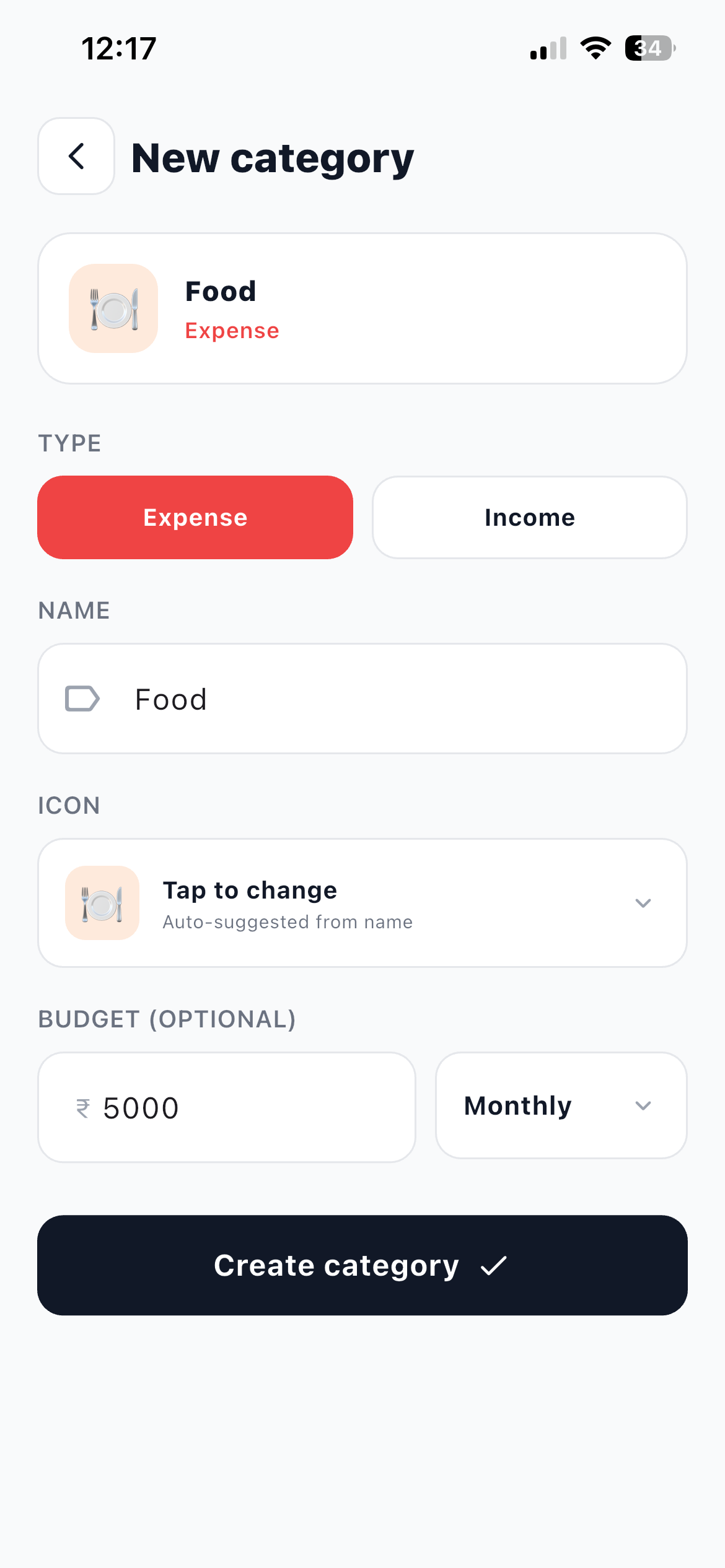
- Open More and then Categories Switch between the Expense and Income lists using the tabs at the top.
- Tap + to open the New category form Set the TYPE first, Expense or Income. It decides which list the category appears in and which side of your reports it lands on.
- Enter the NAME Something like Groceries, Fuel, Rent or Salary. The card at the top of the form previews how it will look.
- Check the ICON The app auto-suggests one from the name you typed, which is right more often than you would expect. Tap Tap to change if you want a different one.
- Set a BUDGET (OPTIONAL) Enter a limit and pick how often it resets from the dropdown beside it, Monthly by default. Leave it empty for categories you do not want to cap.
- Tap Create category It is available immediately in the transaction form.
Order the list for your thumb
This is the single highest-value minute in this post. Press and hold a category, then drag it up.
Put Groceries, Eating out, Fuel, Bills and whatever else you log most at the very top. Now the picker opens with your real life at the top and you tap once instead of scrolling.
Editing and deleting work the way you expect. Tap a category, change it, tap Save. To remove one, swipe the row or open it and tap Delete category, then confirm. The app tells you plainly that this cannot be undone, so treat it as final.
What a budget actually does
A budget is not a lock. Nothing stops you spending. What it does is give the app a number to compare against, and that changes three screens.
Your home screen gets a budget alert card for any category near or over its limit, so you find out on the 18th instead of the 30th.
HJ Insights starts writing cards like "Groceries is over budget" and "Fuel near budget", sorted by importance, many with a button that takes you straight to the screen where you would act.
Ask Jivixa gets something concrete to advise against. Without budgets, the answer to "am I overspending" is guesswork. With them, you can ask which category is over budget and get a real answer.
Start with three budgets, not twelve
Pick your three or four biggest controllable categories, usually Groceries, Eating out and Shopping, and set a monthly limit slightly below what you spent last month. Rent and EMI do not need budgets, because you cannot change them this month anyway.
How to choose the number
Do not invent a target. Look at what you actually spent.
Open Stats, set the period to last month, and read your top categories. Take the number, cut five or ten percent, and use that as your first budget. A budget you miss by 3% is useful feedback. A budget you miss by 200% is just noise you learn to ignore.
Revisit after two months. If you cleared it comfortably both times, tighten it. If you blew past it both times, the number was fantasy, not the spending.
For the whole picture of which screen answers which question, read Stats, Trend and Insights explained.
The mistakes that make charts useless
Miscategorised transfers. Money moving from your bank to your wallet is not spending. If it lands in a category, your expense total inflates every month. Expense, income, or transfer is a short read that prevents this permanently.
A category called Miscellaneous. It grows until it is your biggest slice and it never tells you anything. If you catch yourself using it twice a week, look at what is going in there and create the real category.
Splitting too fine. Separate categories for Vegetables, Milk, Kirana and Supermarket feel precise, but you will always want them summed. One Groceries category, with descriptions on the transaction, gives you the same detail and a better chart.
Questions about categories and budgets
Frequently asked questions
What happens to my transactions if I delete a category?
Deleting is confirmed with a clear warning that it cannot be undone, so treat it as permanent. If you are only tidying up, rename the category or move it down the list instead.
Can I set a budget that is not monthly?
Yes. The New category form has a Budget period field that controls how often the budget resets.
Do budgets stop me from spending?
No. They drive alerts on your home screen and warnings in HJ Insights. The app tells you where you stand, it never blocks a transaction.
Why does the app suggest a category as I type a description?
The transaction form matches what you type against your own categories and the descriptions you have used before, so common entries get faster the longer you use it.
Should income have categories too?
Yes, and keep them simple. Salary, Freelance, Interest and Other income are enough for most people to see where money comes from on the Trend screen.
What to do next
Open More and then Categories, and do three things: delete the ones you have never used, drag your top five to the top, and set a budget on your biggest controllable category.
Then leave it alone for a month. When the month closes, read your Stats and Trend screens and adjust. If you are still setting up, your first ten minutes walks through the rest in order.