Most chatbots that talk about money are guessing. They give you the same advice about lattes and side hustles that they give everybody else, because they have never seen your account.
Jivixa has. It is built into Hisab Journey, and before it answers you it goes and reads your actual transactions.
Key takeaways
- Jivixa can look up your individual transactions, your month by month history and your category totals.
- Watch the status line while it works. That is it pulling your real numbers, not inventing them.
- Answers are short and specific, and use your own figures.
- Every answer comes with three follow-up suggestions, so you can keep digging with one tap.
- It needs an internet connection, and you agree to a consent notice once.
Where to find it
You can open Jivixa three ways: the Jivixa quick link on the home screen, the AI card on the dashboard, or the button on the HJ Insights screen.
The first time, you get a consent notice explaining that your financial summary is sent to the AI so it can answer your questions. Tap to agree. You only do this once, and it covers every AI feature in the app, including importing a statement.
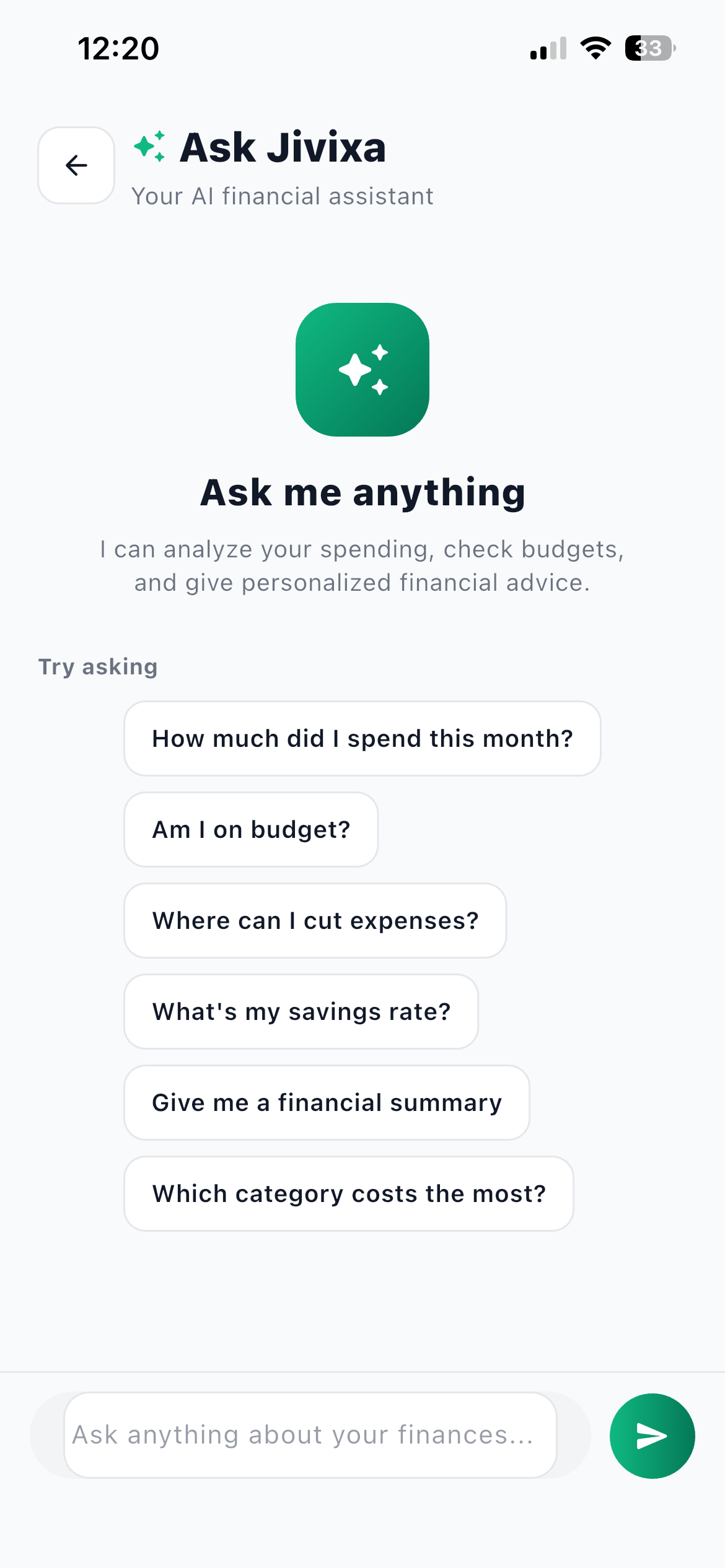
Then you land on a start screen with six questions under Try asking, so you do not have to think of one yourself: how much you spent this month, whether you are on budget, where you can cut expenses, your savings rate, a financial summary, and which category costs the most.
What makes it different from a generic chatbot
Three things, and they are all about access to your data.
Jivixa can look up your individual transactions, including merchant names and descriptions, for any date range. It can pull your month by month history of income and expense. And it can get your category totals across a period.
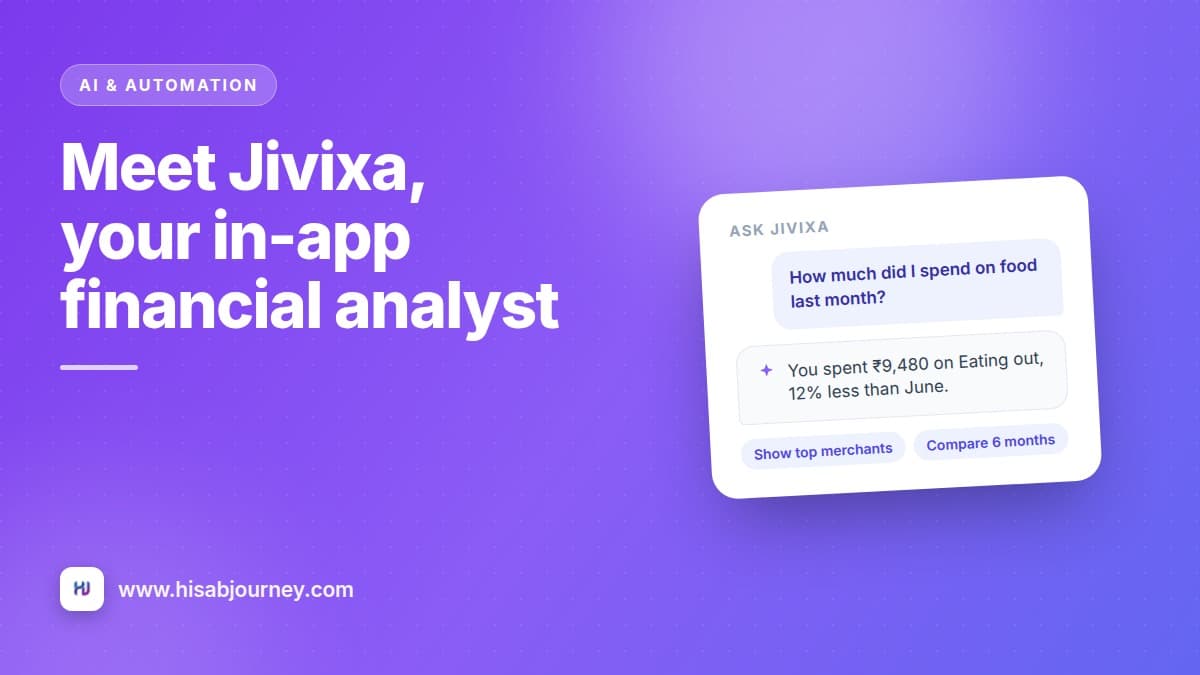
That is why the answers contain your numbers instead of general advice. Ask what you spent on food last month and you get a figure, not a lecture on meal planning.
Watch the status line
When you ask something, you will see the thinking bubble change: Reading your transactions, then Loading your monthly history, then Grouping by category.
Those are not decorative. Each line is Jivixa going to fetch something specific out of your data. If you see them, the answer that follows is grounded in your records.
Ten questions worth asking
Start with these. Each one works because it maps onto data Jivixa can actually fetch.
- How much did I spend on food last month? The bread and butter question. You get a total for the category over that period, from your own transactions.
- What were my biggest expenses in June? Useful on the 1st, when you are trying to work out where the month went. It reads individual transactions, so it can name them.
- Compare my spending over the last 6 months. This pulls your monthly history and tells you whether the trend is up or down.
- Which category is over budget? Only as good as your budgets, so set those first. Categories and budgets covers it.
- Where did the money go on my card in the last two weeks? Narrow date range, one account. Good for the week before a credit card bill lands.
- Can I afford a ₹10,000 purchase? It answers against your real income, spending and savings rate rather than a generic rule.
- How can I save more? Broad, but the answer is built on your actual categories, so it points at your own spending rather than a stock list.
- What did I spend on fuel this month versus last month? A two-period comparison for one category. Good for testing whether a change you made stuck.
- Which merchants do I spend most at? It can see descriptions and merchant names on your transactions, so this works if you fill in descriptions.
- What is my savings rate this year? Reads your monthly income against expense across the year.
Use the follow-up chips
Every answer comes with three suggested follow-up questions. They are usually the next thing you were going to ask anyway, and tapping one is faster than typing. This is how a two minute check turns into something useful.
Ask better questions
The pattern that works is amount plus category plus period. "How much on groceries in July" beats "am I spending too much".
Name the period explicitly. Last month, June, the last two weeks, this year. Vague periods get vague answers.
Ask one thing at a time. A question with three parts gets a shorter answer on each part than three separate questions would.
And fill in descriptions on your transactions. Jivixa can read them, so a month of entries labelled with real merchant names gives you much sharper answers than a month of blanks.
What it will not do
It answers about your finances, not the stock market. It has no live prices, no news, and no access to anything outside your own records.
It needs an internet connection. So does HJ Insights. Everything else you do day to day, adding transactions, editing accounts, checking your charts, works offline.
And it needs to be switched on for your account. Check under More and then Display and currency, where the AI assistant line should read Active, powered by Gemini.
Answers are deliberately short
Jivixa keeps answers under a page and uses your figures with Indian digit grouping, so ₹1,23,456 reads the way you expect. If you want more detail, ask a narrower question rather than a longer one.
Jivixa and HJ Insights are not the same thing
HJ Insights is the app reading your data on its own and telling you what it found, sorted by importance. Cards like "Groceries is over budget", "Subscriptions take 18% of expenses" or "Saving 22% of income", many with a button that takes you to the screen where you would act. Below those, the AI writes a short narrative in four parts: Monthly Summary, Budget Health, Spending Patterns and Smart Tips.
Jivixa is the conversation. You ask, it answers, you follow up.
Use Insights to find out what is wrong, and Jivixa to work out what to do about it. Stats, Trend and Insights explained covers how those screens fit together.
Your chat history stays with you
Your conversation is kept on the device, so you can scroll back to what you asked last month and pick the thread up again.
Questions about Jivixa
Frequently asked questions
Jivixa says it cannot help, or AI features are greyed out. Why?
The AI needs to be configured on your account and you need to have accepted the consent prompt once. Check More and then Display and currency, where the AI assistant should say Active, powered by Gemini. AI also needs an internet connection.
What data does Jivixa see?
Your financial summary and, when it needs them, your individual transactions, your monthly history and your category totals. The consent notice explains this before you agree, and you agree only once.
Can it answer questions about specific shops?
Yes, if the information is in your data. It can read transaction descriptions and merchant names, so filling those in makes its answers noticeably better.
Does it work offline?
No. Ask Jivixa and HJ Insights both need an internet connection. Adding and editing transactions, accounts and categories all work offline.
Where is my chat history stored?
On your device, so you can scroll back through previous conversations.
What to do next
Open Jivixa and ask it one question about last month. Then tap one of the three follow-up chips and see where it goes.
If the answers feel thin, the fix is usually more data, not a better question. Import your recent statement with AI import, or follow the 30-day plan to build up a month of clean records and ask again.