Your accountant wants last quarter's records. Your landlord wants proof of the rent payments. The bank wants six months of statements for a loan file.
A donut chart is no good to any of them. What they want is a statement, and the app makes one.
What the Ledger is
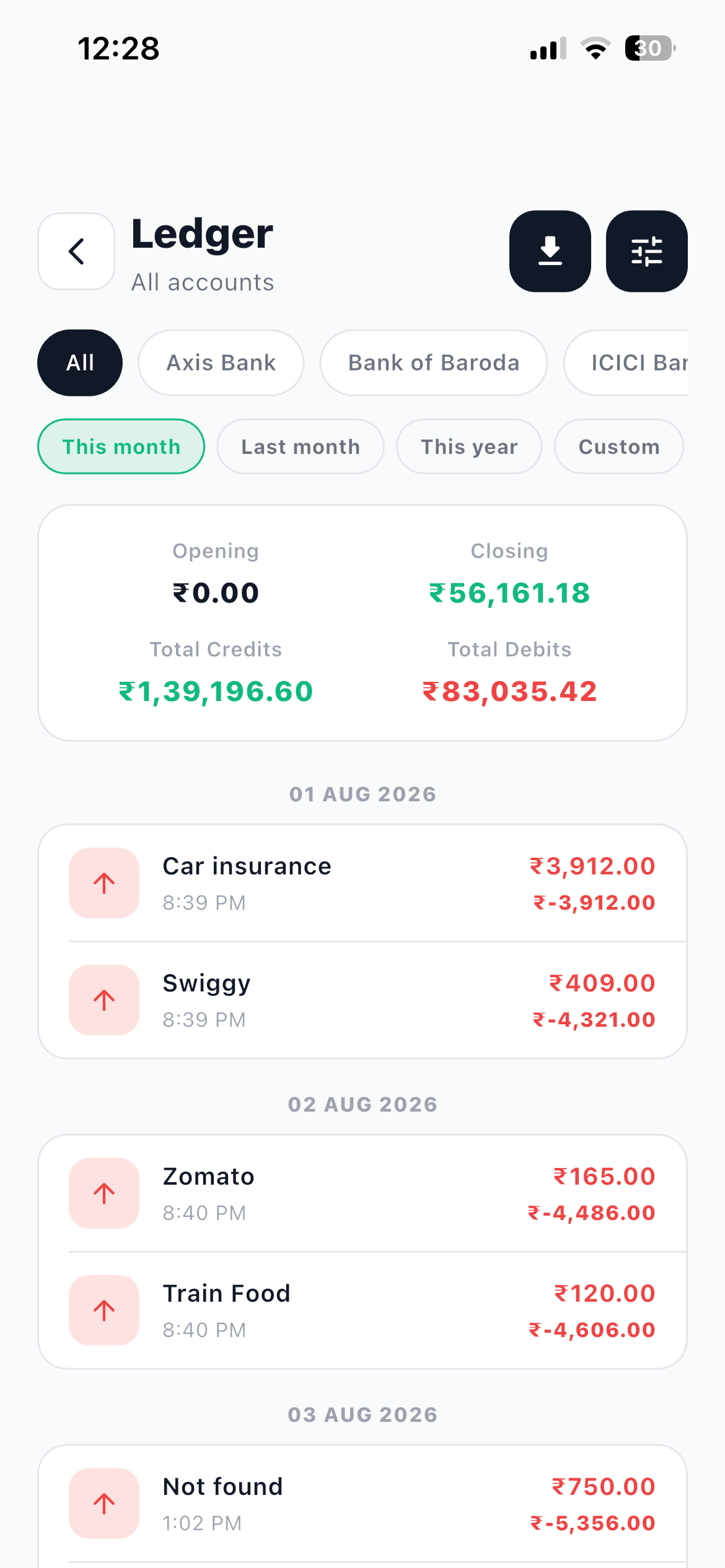
Go to More and then Ledger. This is your account statement in classic debit and credit form.
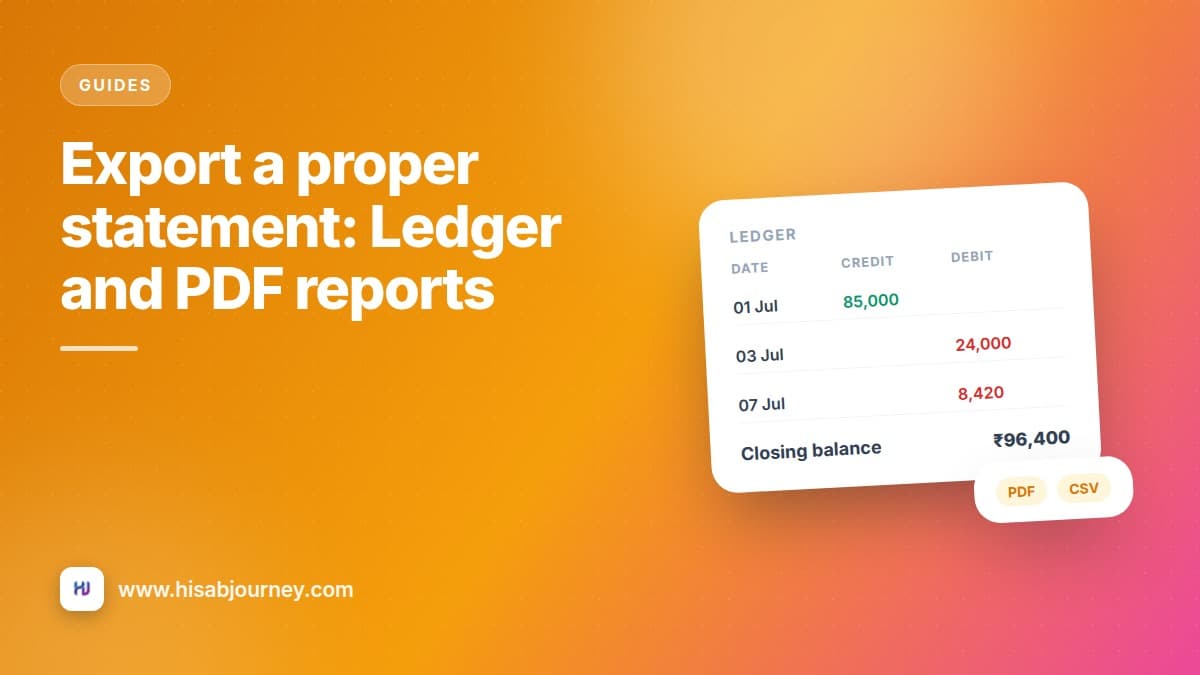
Choose the account and the date range, and you get an Opening balance, all Credits and Debits as dated rows, and a Closing balance.
That structure is the whole point. Opening balance, plus what came in, minus what went out, equals closing balance. Anybody who works with numbers can read it in five seconds, and it either reconciles with the bank or it does not.
Exporting it
- Open More and then Ledger Pick the account you need. One account per statement, exactly like a bank statement.
- Set the date range A month, a quarter, a financial year. Match whatever the person receiving it asked for.
- Check the closing balance Compare it against the real balance on that date before you send anything. If they disagree, fix that first.
- Tap Export Ledger Choose Export as CSV or Export as PDF.
- Send it from the share sheet Your phone's share sheet opens, so you can email it, save it to Drive, or send it on WhatsApp.
CSV or PDF?
| Format | Best for | Why |
|---|---|---|
| CSV | Your accountant, your own analysis, importing elsewhere | Opens in Excel or Google Sheets, so rows can be sorted, filtered and totalled |
| Anyone who just needs to read and file it | A formatted A4 report with a summary header and a clean table, and it looks the same on every device |
The rule of thumb: if the person receiving it is going to calculate something, send CSV. If they are going to read it, print it or attach it to a file, send PDF.
When in doubt, send both
They are two taps apart and the share sheet lets you attach both to the same email. Nobody has ever complained about receiving the format they wanted alongside one they did not.
Who gets which report
Your accountant, at year end. CSV for each account, for the full financial year. They will pivot it themselves.
A landlord or a society. PDF for the specific account, for the period in question. Clean, readable, nothing extra.
A bank or an NBFC for a loan file. PDF, per account, for the months they asked for. Remember this is your own record, not a bank-issued statement, so send it as supporting detail alongside what your bank provides.
Yourself, at quarter end. CSV, then sort by amount in a spreadsheet and look at the top twenty rows. It is a different kind of look at your money from the charts, and it turns up things the charts smooth over.
It works offline
The Ledger reads from data already on your phone, so it works without a connection, and so do both exports.
That is genuinely useful. You can pull a statement and email it from a train, a flight with no wifi, or a village with one bar of signal. Most finance apps go blank in exactly those moments. How offline mode works covers what else keeps running.
Before you export, reconcile
An exported statement is only as good as the data behind it. Two checks, both quick.
Check the closing balance against your real balance on that date. If they differ, open the account and use Reset Account Balance, which shows you the current balance, the adjustment it will make and the new balance, then creates a correcting entry.
Check for miscategorised transfers. A credit card payment logged as an expense will make a month look far worse than it was. Expense, income, or transfer is the two minute version of why.
Once the numbers agree, export with confidence. And if the account list itself needs tidying, setting up your accounts covers hiding the ones you no longer use.
Questions about the Ledger
Frequently asked questions
Can I get all my accounts in one statement?
Yes. Leave the account chips on All and the statement covers every account together. Tap a single account chip when you need one on its own, which is what a landlord or a bank usually asks for.
Does exporting work without internet?
Yes. The Ledger reads from data already on your phone, and both the CSV and PDF exports work offline.
What is in the PDF?
A formatted A4 report with a summary header and a clean table of your dated rows, so it is ready to read, print or file.
Is this the same as a bank statement?
No. It is your own record of the transactions you entered. It is useful for reconciling and for sharing, but it is not issued by your bank.
Where does the exported file go?
Your phone's share sheet opens, so you choose. Email it, save it to Drive, or send it on WhatsApp.
What to do next
Open More and then Ledger, pick your main bank account and set the range to last month. Check the closing balance against your bank, then tap Export Ledger and send yourself the PDF.
Do that once and you will know exactly how to produce it in April when somebody asks. For the charts version of the same data, read Stats, Trend and Insights explained.